
Self Service Password Resetting System for Alumni Mail
- Browse to https://home.au.edu/Auth/ForgotPassword
- Enter your username such as g4239320 or u9999999 (not include @alumni.au.edu) and then click “Submit”. For more information about AU Account, please read here [link to AU Account]
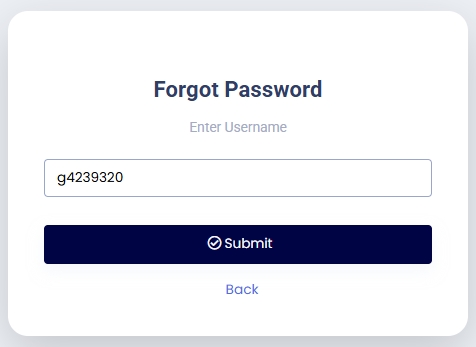
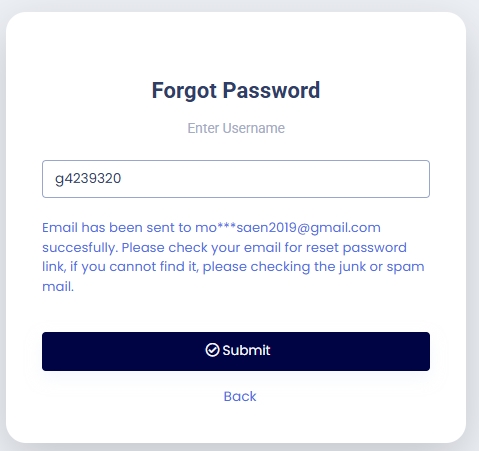
- The system will send a reset password link to your personal email that you gave to the Registrar Office accordingly.
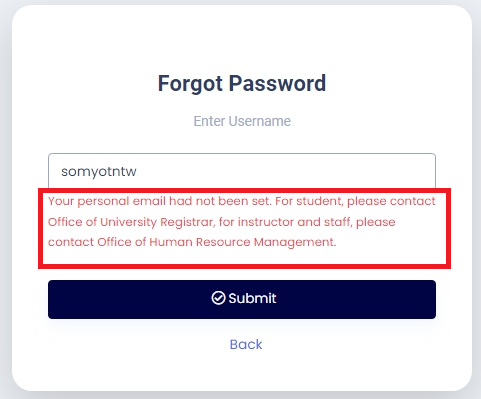
***In the case that you have never given your personal email to the Registrar Office the system will display an error as shown below
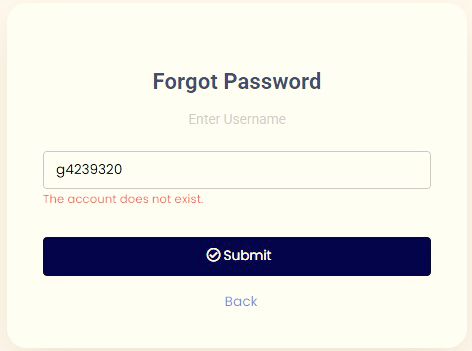
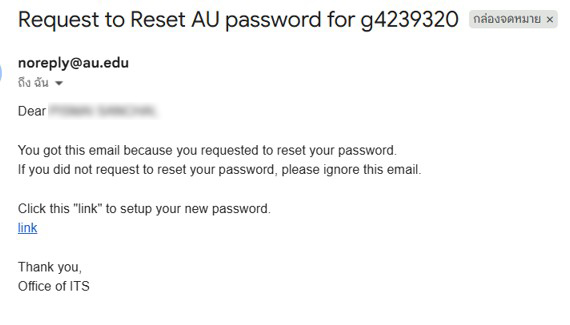
- Checking your personal email for reset password link from the University and click at “link” as shown in the figure below.
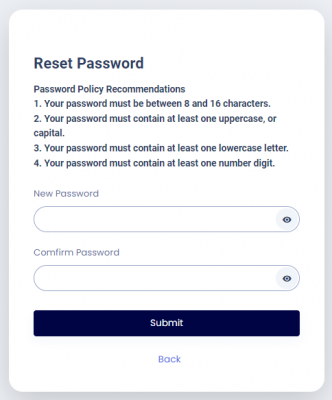
- You will be brought back to home.au.edu to setup your new password. Just simply fill in your desired password following the password regulations and confirm the password again then click Submit.
- You may test your new password by logging to the home.au.edu directly. If you can login, then please wait for 5 to 10 minutes so the password will sync to other services. (e.g. mail : uxxxxxxx@alumni.au.edu or gxxxxxxx@alumni.au.edu)
- If you wish to set up or update your personal email address, please contact the Office of the University Registrar at profile@au.edu.